
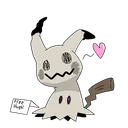
 Free Hugs Freehugs
 Free Hugs Discord Emoji
Static WebP · Popularity: 1
Save the image, then upload it in Discord under Server Settings → Emoji. How to use emojis
Keywords
Related emojis
Free Hugs Freehugs  Freehugs Static WebP
 Popular emojis
 Cat Stare Catstare · Swagcat
  Party Glasses Partyglasses · Partyblobcool
  6834 Pepesimp Pepe Simp · Pepesimp
  Epilepsyanimated Party · 4065 Party
  8754 Pepethief Pepetheif · Pepe Runmoney
  Pepe Grill Pepe Girl · Girl Pepe
  Sussyamonger Sussy · Q Sussyamonger
  Sadness Sadcat · Sad Cat
  Pepega 8094 Pepega · 9716 Pepega